YOUR DAY. YOUR SOUND.
Make room
for quiet.
Let your phone’s sound fit your day. Plan quiet hours, follow your meetings, or take a little time to focus.
Get it on Google PlayFor Android · In-app purchases
Less reaching for volume buttons.
More being in the moment.
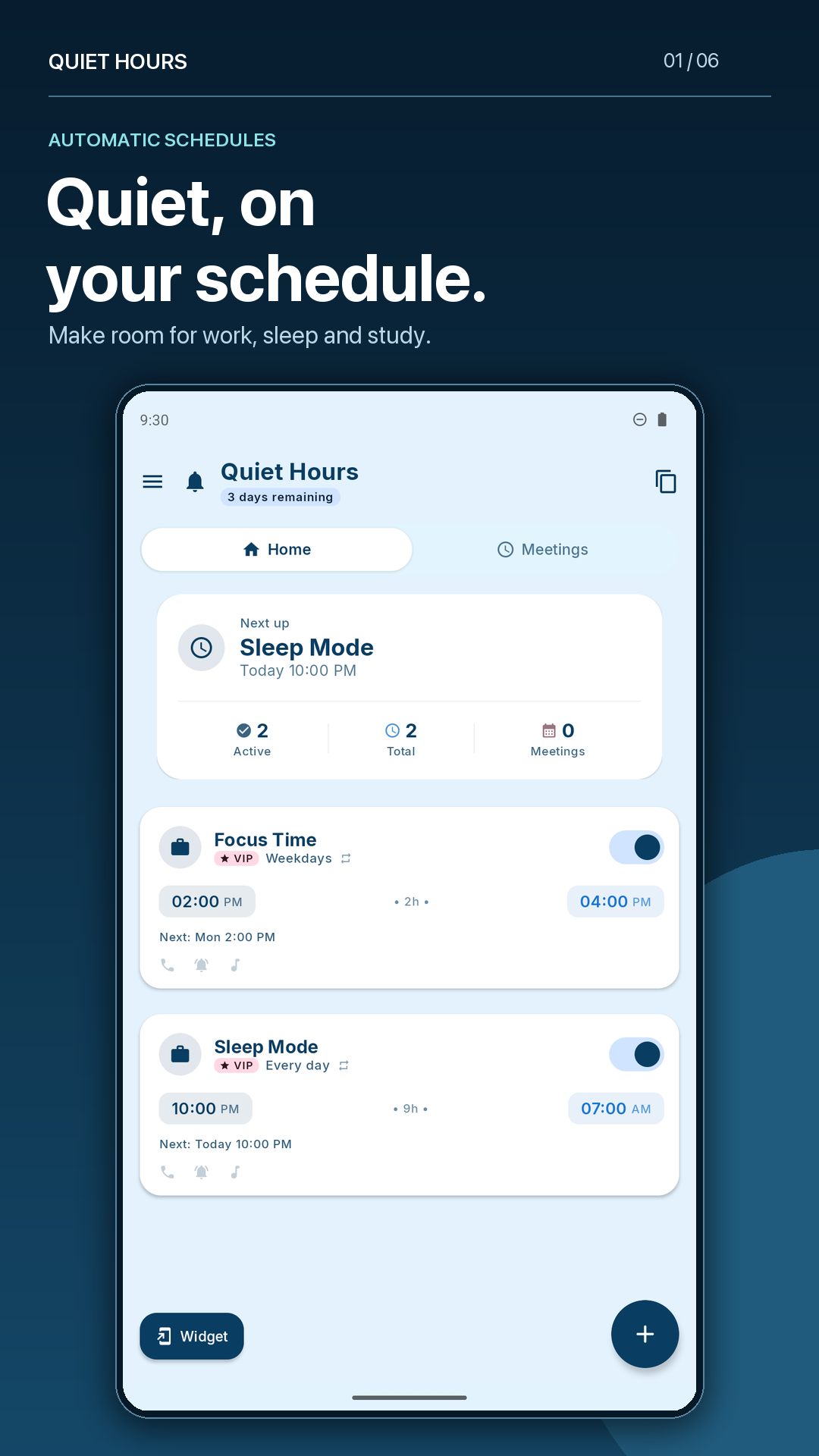
Real app screen. Example routines shown.
A LITTLE QUIET GOES A LONG WAY
For the moments
that matter.
From a full night’s sleep to a short burst of focus. Find the kind of quiet that fits.
Sound, your way
Choose ring, media and notification levels. Set how quiet starts and how sound finishes.
Room for important calls
Configure VIP and repeat-caller options. Premium Android DND settings and device support apply.
A routine that feels like you
Start with a template, choose repeat days, and pick an app theme that suits your style.
A SMALL SETUP. A QUIETER ROUTINE.
Choose it. Set it.
Let your day happen.
- 01
Pick your quiet moment
Start with sleep, work, a calendar meeting or your own routine.
- 02
Make the sound settings yours
Choose times, repeat days, and the volume settings for start and end.
- 03
Allow the access it needs
Follow in-app setup, then check your next quiet period on Home.
Android permissions and your phone’s background settings can affect automation. Follow setup guidance for your device.
Why does Quiet Hours need permissions?
Do Not Disturb access supports full silence and compatible VIP call exceptions. Notification permission supports schedule status, previews and active-session alerts. Calendar access is needed when you choose meeting automation.
Access is controlled in Android Settings. Some features may need additional access; the app explains it during setup.
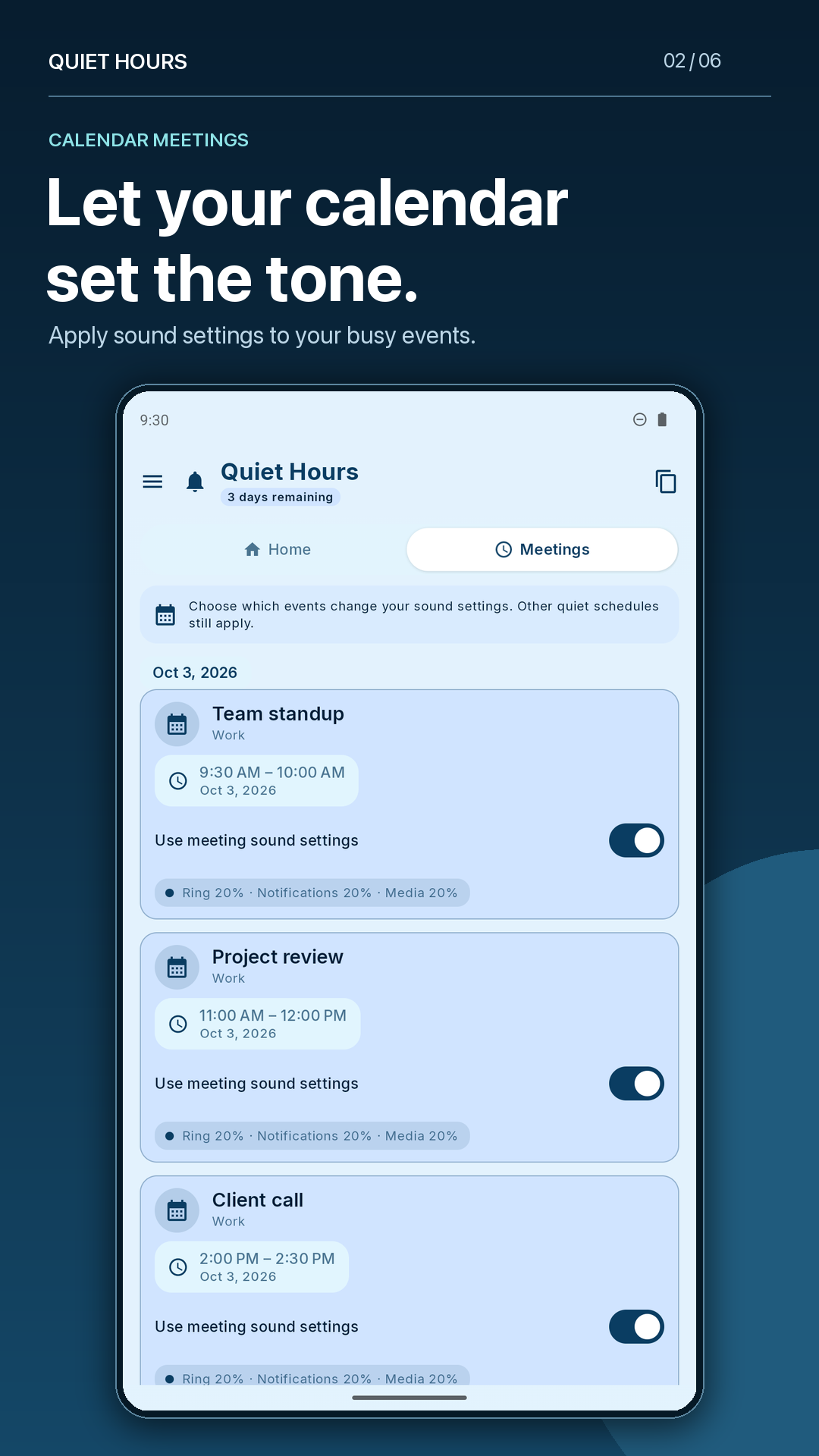
Can I use it for calendar meetings?
Yes. Use calendars available on your Android device, choose your meeting sound settings, and select which busy events should use them. You can leave individual events out.
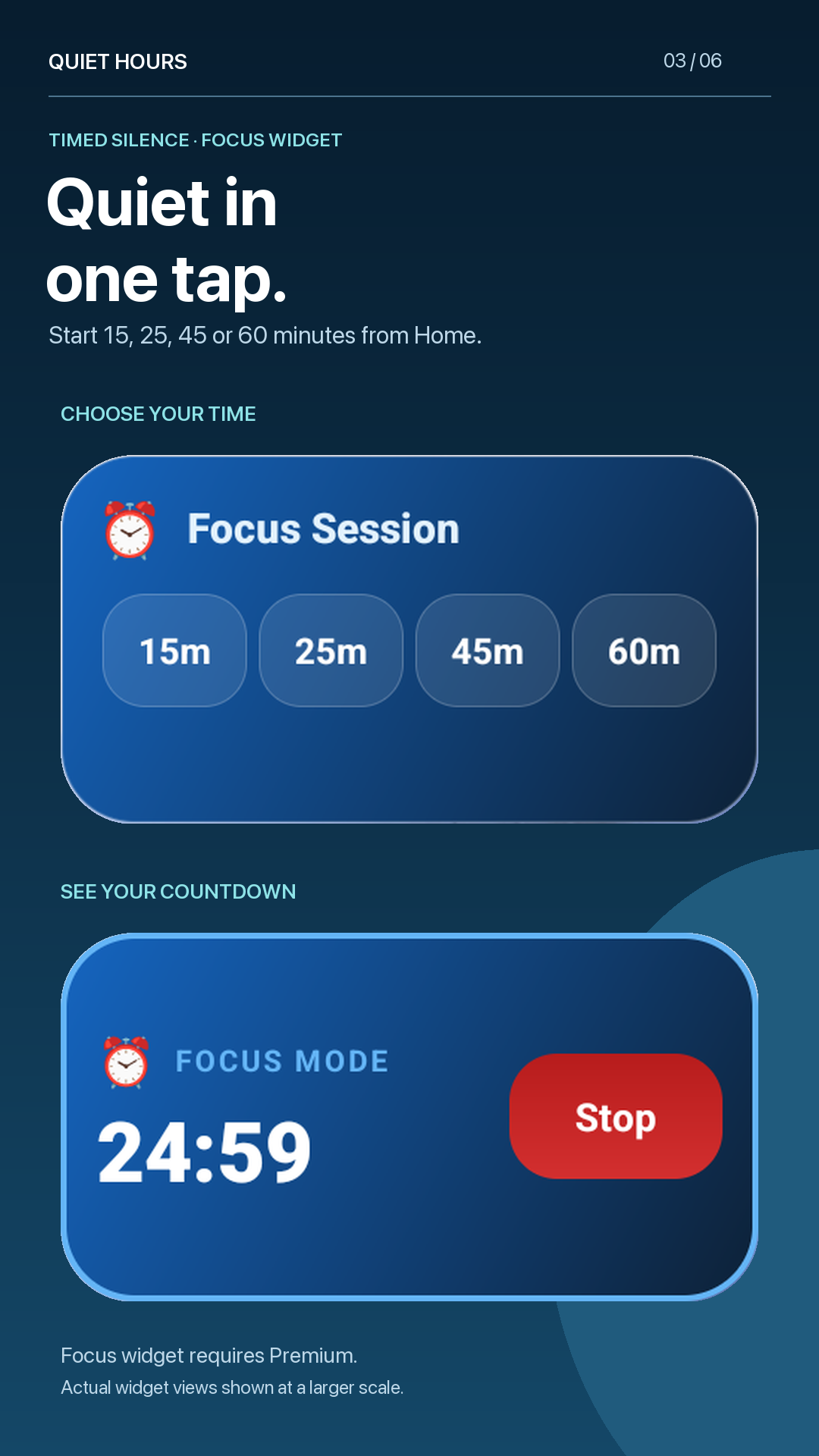
Can I get quiet right now?
Use the Premium Focus widget for a timed quiet session. Add it to your Android home screen and choose 15, 25, 45 or 60 minutes. The widget shows a countdown and a Stop control.
What happens when a schedule ends?
Quiet Hours applies the end sound settings you chose when no other quiet session takes priority. If another schedule or meeting is still active, its sound settings continue to apply. Android settings and device restrictions can affect sound changes.
Is Quiet Hours free?
Download the app from Google Play. Some features, including the Focus widget and VIP calls, require Premium. Current pricing, trial eligibility and available purchase options are shown in the app.
Where can I read the privacy policy?
Read Quiet Hours privacy policy, also linked from the app’s Google Play listing. For questions, email quiethours7@gmail.com.
How does website analytics work?
If you allow analytics, this website uses Google Analytics cookies to measure visits, traffic sources and Google Play button clicks. Google receives browser, device and network information when analytics runs. A button click does not tell us whether you installed the app.
Analytics stays off until you allow it. Change your choice using Analytics settings below. Your choice is stored on this website. Read Google’s privacy policy for details about Google’s processing.
Website analytics is off.
MAKE A LITTLE SPACE IN YOUR DAY
Your next quiet moment
starts here.
Sound schedules, meetings and focus. All in Quiet Hours.
For Android · In-app purchases